
Introduction
When you start writing prompts, one of the first decisions you face is whether to include examples - and if so, how many. This decision shapes the amount of guidance you give the model and often determines how consistent your results will be.
The three main prompt types - zero-shot, one-shot, and few-shot - are defined by the number of examples they include. Each type has a place. None is universally better than the others. The right choice depends on the task, the level of output consistency you need, and how much time you have to construct the prompt.
This article breaks down all three prompt types using zero-shot, one-shot, and few-shot prompting as its anchor. You will see what each type looks like, when it tends to work well, and how the same task can be written in all three styles side by side.
What Makes These Prompt Types Different
The distinction between zero-shot, one-shot, and few-shot prompting comes down to one variable: the number of examples included in the prompt.
A zero-shot prompt gives the model an instruction and asks it to respond - no examples attached. A one-shot prompt adds a single example to show the model what kind of output you want. A few-shot prompt adds two or more examples, building a clearer pattern for the model to follow.
These are not techniques in the advanced sense. They are structural choices about how much guidance your prompt provides. Understanding when to use each type is one of the most practical skills you can develop early in your prompting practice.
Zero-Shot Prompting: When the Instruction Is Enough
A zero-shot prompt contains no examples. It relies on the instruction - and sometimes context and output format - to guide the model toward a useful response.
Zero-shot prompting tends to work well when the task is familiar, straightforward, and does not require a specific output pattern that the model would need to infer. Definitions, simple questions, standard summaries, and basic formatting requests are all common zero-shot candidates.
When it works well: Tasks that rely on widely understood patterns. The model has been trained on enormous amounts of text, so for common tasks, it often produces reasonable output without examples.
Where it tends to fall short: Tasks that involve a format, tone, or classification scheme that is specific to your organization or workflow. Without an example, the model may produce output that is technically correct but does not match what you actually needed.
Zero-Shot Example - Business Email Summary
| Prompt | Summarize the following email in three bullet points, each under 15 words. [Paste email text here] |
| Expected Output | Three bullet points, each summarizing a key point from the email in plain language. |
| Note | This works for a standard summarization task because the format is familiar and the instructions are clear. No example is needed to establish the pattern. |
One-Shot Prompting: Showing the Pattern Once
A one-shot prompt includes exactly one example before the task. That example demonstrates the output style, format, or logic you want the model to follow.
One-shot prompting is useful when your task has a specific format that an instruction alone may not capture clearly. A single well-chosen example often clarifies more than several additional lines of description.
When it works well: When the output format is distinctive - a particular writing style, a specific sentence structure, or a labeling convention. One strong example tends to orient the model effectively.
Where it tends to fall short: When one example is ambiguous and the model may infer the wrong pattern. If the example could support multiple interpretations, you may still get inconsistent results.
One-Shot Example - Product Feedback Tag
| Prompt | Tag the following customer comment with one of these labels: Usability, Performance, Shipping, Pricing. Example: Comment: "The checkout process took too many steps." Tag: Usability Now tag this comment: Comment: "The item took three weeks to arrive with no updates." |
| Expected Output | Tag: Shipping |
| Note | The single example establishes the label format and shows how to apply the categories. Without it, the model might produce a full sentence or a different label structure. |
Few-Shot Prompting: Building a Clearer Pattern
A few-shot prompt includes two or more examples. This gives the model more data points to recognize the pattern you want, which tends to produce more consistent results - particularly for nuanced or specialized tasks.
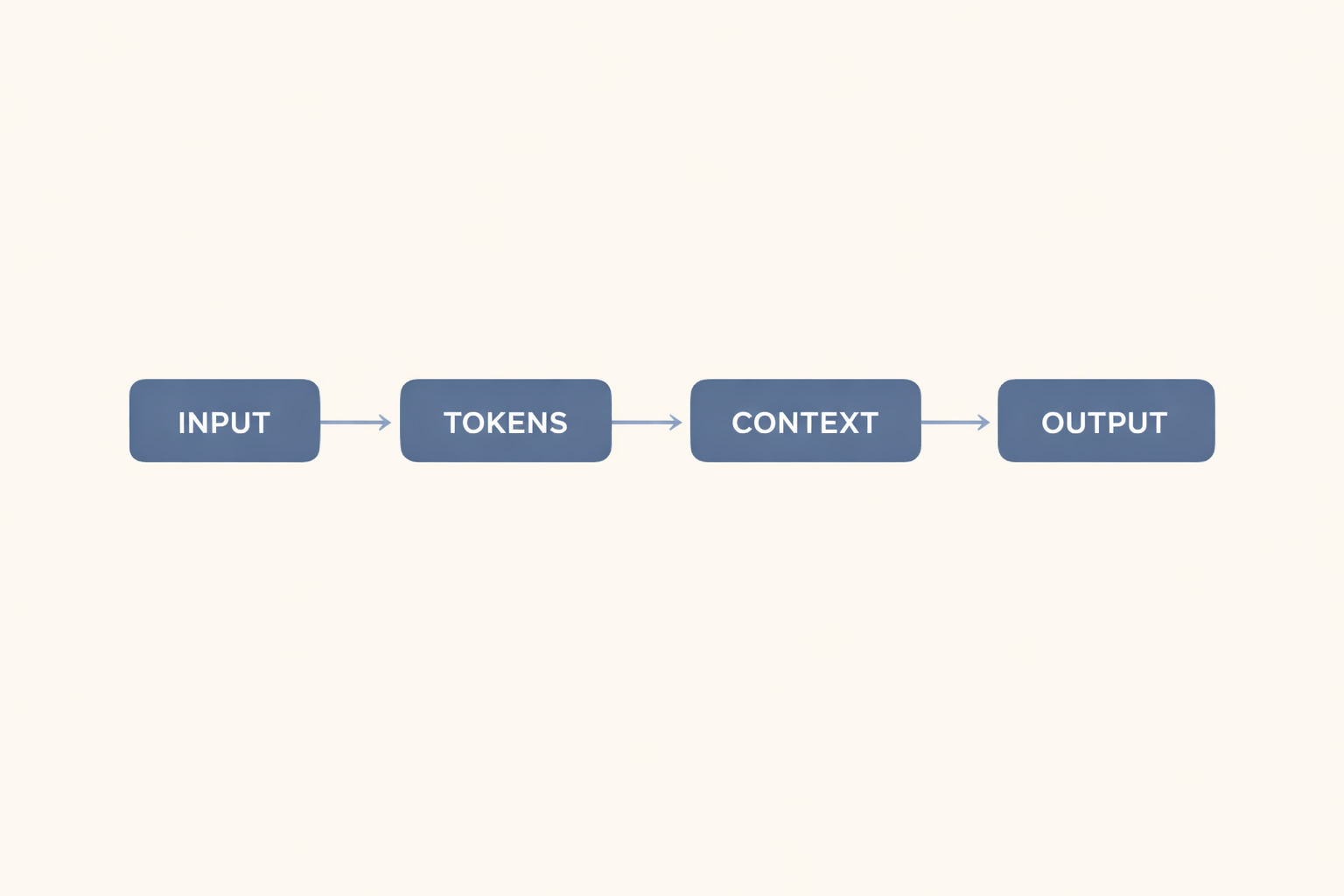
As covered in Chapter 2, AI models process input as tokens and generate output based on patterns in their training data. Few-shot examples effectively extend the prompt context to include a richer pattern signal, which can help the model produce more reliably formatted output.
When it works well: Complex classification tasks, output formats with multiple fields, or cases where tone and style need to be tightly controlled. The additional examples reduce ambiguity and give the model more to work with.
Where it tends to fall short: Few-shot prompts are longer and take more time to construct. They also consume more of the context window (introduced in Chapter 2), which matters if your prompt already includes substantial input text.
Few-Shot Example - Customer Review Sentiment
| Prompt | Classify each review as Positive, Neutral, or Negative. Review: "Great product, fast shipping, exactly as described." - Positive Review: "Decent quality but took two weeks to arrive." - Neutral Review: "Broke after one day. Would not recommend." - Negative Now classify: Review: "The product arrived quickly, but the packaging was damaged. The item itself works fine." |
| Expected Output | - Neutral |
| Note | Three examples establish a clear, consistent classification pattern. With only a zero-shot instruction, results for a mixed-sentiment review like this one can be inconsistent across different sessions. |
Side-by-Side Comparison: The Same Task in All Three Styles
The table below shows all three prompt types applied to a single task: generating a short social media caption for a product launch.
| Zero-Shot | One-Shot | Few-Shot |
|---|---|---|
| Write a social media caption for a new wireless keyboard product launch. Keep it under 20 words and end with a question. | Write a social media caption for a new product launch. Example: Product: Noise-canceling headphones Caption: "Focus in, tune out. Our new headphones put you in your zone. What do you listen to first?" Now write for: wireless keyboard | Write a social media caption for a new product launch. Product: Noise-canceling headphones Caption: "Focus in, tune out. Our new headphones put you in your zone. What do you listen to first?" Product: Standing desk Caption: "Work at your level. Our adjustable desk fits your day. How do you set up your workspace?" Now write for: wireless keyboard |
| Best for: Direct tasks with a familiar format. | Best for: When format or tone needs one example to clarify. | Best for: Specialized formats or when consistency matters across multiple outputs. |
The zero-shot version works here because social media captions are a common task, and the instruction includes the key constraints. The one-shot version adds a stylistic reference. The few-shot version builds a more complete pattern - useful if you were generating multiple captions in a batch and needed a consistent tone across all of them.
Comparison Overview: Zero-Shot, One-Shot, and Few-Shot
| Prompt Type | Definition | When to Use | Tradeoff | Example Task |
|---|---|---|---|---|
| Zero-shot | No examples. The instruction alone guides the output. | Simple, familiar tasks: basic questions, short summaries, standard formats. | Fast to write. May produce variable results for complex tasks. | "Define the word hypothesis." |
| One-shot | Exactly one example showing the desired output style or pattern. | When you have a specific format or tone and one example makes it clear. | More reliable than zero-shot for pattern-sensitive tasks. | Email subject line in a specific style. |
| Few-shot | Two or more examples showing the desired pattern. | Complex or specialized tasks where one example is ambiguous. | Most consistent for nuanced tasks. Longer prompts use more context space. | Classifying customer feedback into custom categories. |
This table is a starting reference, not a decision algorithm. The right choice often comes from testing. Start with zero-shot. If the results are inconsistent or off-pattern, try one-shot. If one example is not enough to establish the pattern, move to few-shot.
How to Choose: A Practical Starting Point
There is no formula that tells you which prompt type to use for every task. But there is a useful starting approach.
Start with zero-shot. For most tasks, it is the fastest option and often produces usable output. If the results are inconsistent - varying in format, tone, or structure across sessions - that is a signal to add an example.
Move to one-shot when you have a specific output format in mind that an instruction alone does not convey clearly. A single well-constructed example will often fix inconsistency issues without adding significant prompt length.
Move to few-shot when one example is not enough to establish the pattern, or when you are working on a task where output consistency matters across multiple prompts. Classification tasks, multi-field output formats, and specialized writing styles are common candidates.
Keep context window limits in mind. As covered in Chapter 2, the context window is the scope of text a model can process in one session. Long few-shot prompts combined with substantial input text can push up against those limits, potentially cutting off your input or degrading output quality.
Two additional notes worth keeping in mind:
- Example quality matters more than quantity. A well-constructed one-shot example often produces better results than two or three weak few-shot examples. Focus on making each example clear and representative.
- These prompt types can be combined with other structural choices. You can use a few-shot prompt that also includes a detailed output format instruction and context. The example count is one variable; it works alongside the four components covered in the previous article (3-2).
Key Takeaways
- Zero-shot, one-shot, and few-shot prompts differ by the number of examples they include - zero, one, or two or more.
- Zero-shot is the right starting point for most tasks. It is fast to write and often produces useful output for familiar, straightforward requests.
- One-shot works well when a specific format or tone needs one clear example to establish the pattern.
- Few-shot tends to produce more consistent output for complex, specialized, or pattern-sensitive tasks - at the cost of longer prompts.
- No single type is universally best. Start with zero-shot, then add examples if results are inconsistent.
- Example quality matters more than example count. One strong example typically outperforms two weak ones.


0 Comments